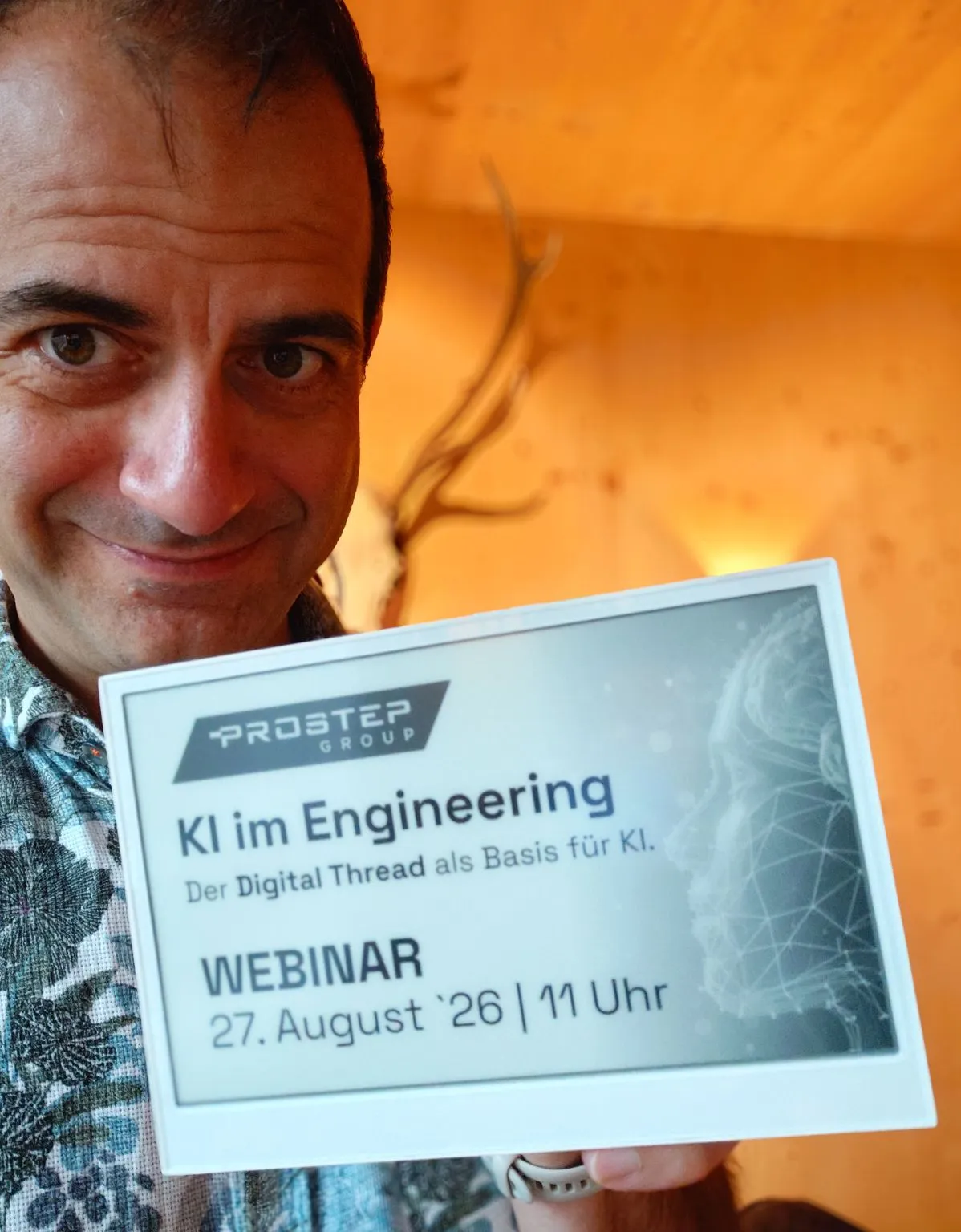

A conversation with Julian Weyer about his vacation project: a self-sufficient E-Ink family calendar built with an AI coding agent, and what the human actually still has to do.
Julian, let’s start at the beginning. Many families live in a certain calendar chaos. Was that the trigger for you?
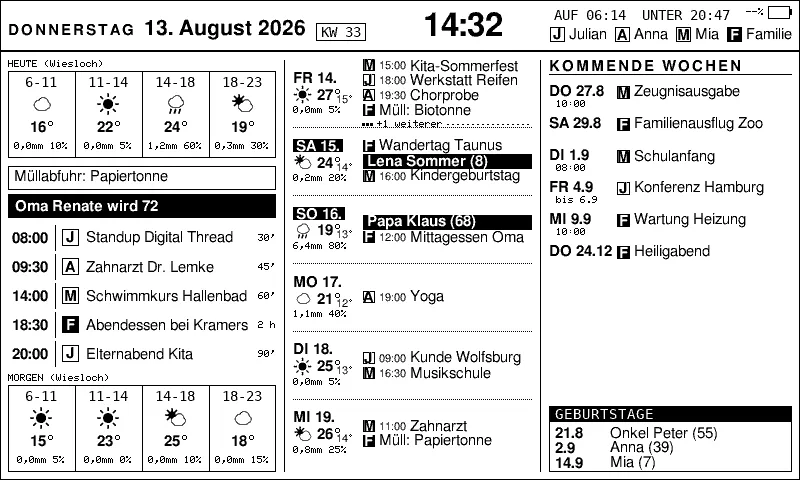
Absolutely. We never had one place for our appointments. My partner uses paper, I have my work calendar, and then there are the appointments of our two-year-old daughter, somewhere between those worlds. It was always a guessing game: Who is where, and when? Who picks up our little one from the childminder? Since I like to tinker and work a lot with AI agents in my job, I thought: There must be a more elegant way. A smart display of our own that gives us the overview back.
A tablet on the wall would have been the obvious solution. But you chose an E-Ink display. Out of defiance?
(Laughs) More for practical reasons. I didn’t want to run a power cable across the living room, and I didn’t want a device that constantly draws power. E-Ink is unbeatable there: it uses almost nothing and runs for weeks on one battery charge. I also wanted a self-sufficient solution that doesn’t depend on a server in the cloud. The display should fetch its data itself. And since I couldn’t find anything like that off the shelf and like building things anyway, it was clear: You’ll do this yourself.
A job, a family, and then a project like this on top. How did you manage the time?
Honestly: it wouldn’t have worked without AI support. A year ago I had already experimented with the ESP32 microcontroller, but that fizzled out quickly. I can program, but C code is not exactly my native language. This time it was different. I connected the controller to the laptop via USB and let my coding agent do the work. That cut the effort from weeks to a few days on the side.
Your logbook reveals that the key idea for the whole workflow came from you: the “simulator”. Tell me about it.
That was partly laziness, partly curiosity. I didn’t feel like reflashing the display after every small code change, meaning writing the code onto the chip again. That takes time. I thought: All the C code that produces the image could just as well run here in the development environment. So I asked the agent: “Can’t you simply generate the image here and look at it yourself?” It worked. From then on we simulated almost everything. The real device only came into play when I said: “Okay, now we flash.”
Did everything always go smoothly, or were there moments when you thought: “Damn, this isn’t going to work”?
Oh yes, there were. At one point the display just hung. It flat-out refused to load any data from the network. The agent’s and my first guess: the guest Wi-Fi on vacation was blocking something. We searched in the wrong direction for ages. Only when the agent, at my urging, rebuilt the network protocol with a command-line tool did the real cause show up: a server was sending the data in a special format (“chunked transfer encoding”), and the code on the chip simply didn’t understand it. It waited for data that never came. Those are the moments when you realize: watching the agent think and steering it with your own knowledge is worth its weight in gold.
That sounds like you were more conductor than just client. So who built the calendar in the end, you or the AI?
The agent wrote every line of code. But without me, nothing I could have used would have come out. I formulated the requirements, designed the architecture, and stepped in again and again when the agent went in the wrong direction or repeated itself. I told it several times: “You’ve been thinking about this step for a very long time. Let’s create a script for it so it goes faster next time.” That’s exactly the point, I think: AI is an incredibly powerful tool, but the creativity, the vision, and the ability to keep the overview come from the human.
This interview was conducted by the virtual ghostwriter I trust: questions from the AI, answers essentially from me. It actually fits the topic quite well: the tool does the wording, the substance comes from the human.
Is there a detail you’re particularly proud of?
I’m proud of the whole thing! But one small thing I love: when we’re on vacation and there’s an appointment there in the calendar, the display automatically shows the weather for the vacation location, not for home. That, the beautiful, soft fonts thanks to antialiasing, the little popup window that shows live what’s happening during sync: it’s these many small details that make it my project.
Last question: What would you advise someone who wants to start a similar project?
Research, research, research! You don’t have to be able to write every line of code yourself, let alone understand it, but you have to understand what the code is supposed to do. A basic understanding of the technology you’re working with is essential. Only then can you evaluate the AI’s suggestions and really steer it. Then a vague idea becomes a working product.
Thank you for the conversation, Julian!